How Can We Help?
Search for answers or browse our knowledge base.
Common Issues with 2FA and How to Fix
It may be because the time isn’t correctly synced on your Google Authenticator app.
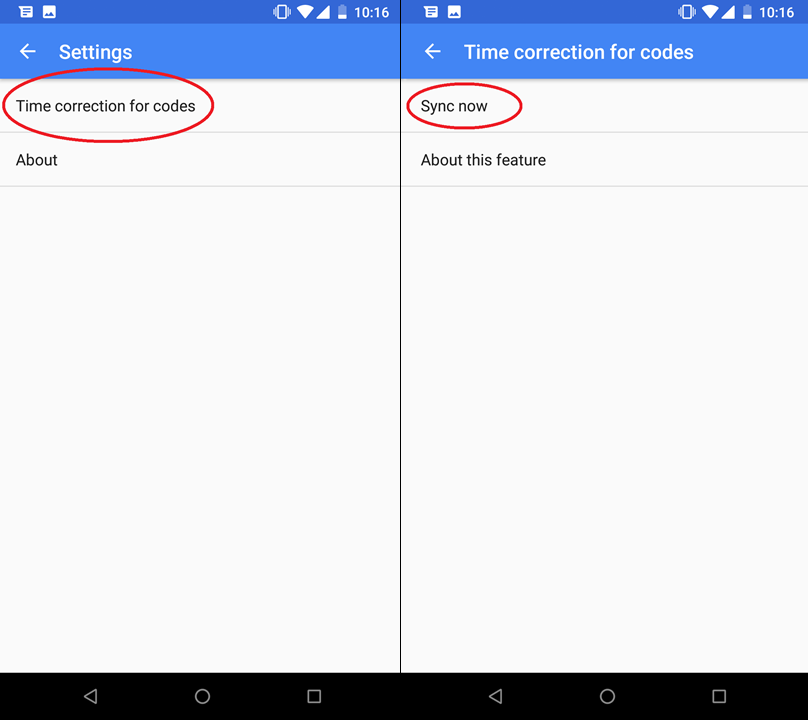
To set the correct time on Android Phones:
- On your Android device, go to the main menu of the Google Authenticator app.
- Tap More
Settings

On the next screen, the app confirms the time has been synced. You should be able to sign in. The sync will only affect the internal time of your Google Authenticator app, and will not change your device’s Date & Time settings.
-
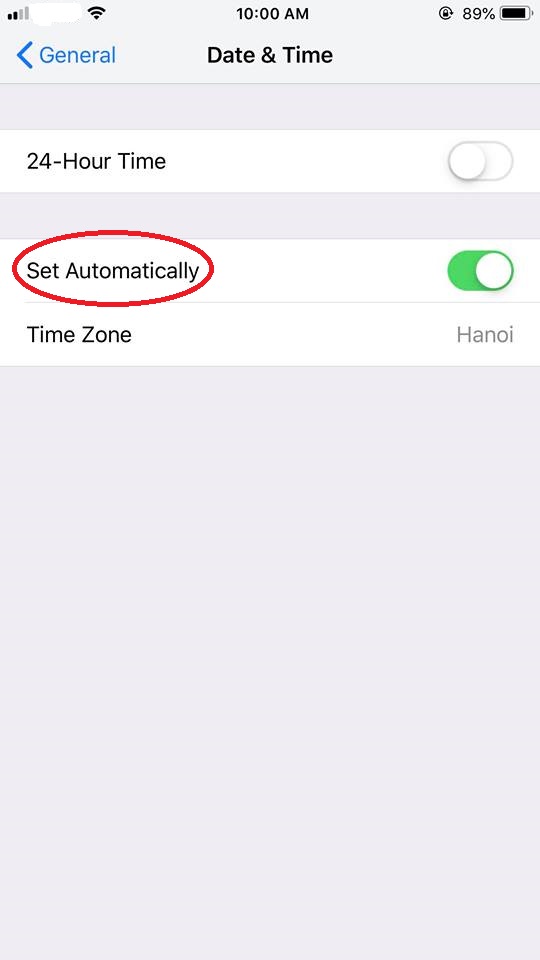
On iOS (iPhone):
-
Go to the iPhone Settings App. (your phone settings area);
-
Select General;
-
Select Date & Time;
-
Enable Set Automatically;
-
If it is already enabled, disable it, wait a few seconds and re-enable.