
Search for answers or browse our knowledge base.
Popular FlowLogic Reports
Commonly used reports
FlowLogic includes a large range of pre-built reports, as well as the option to create your own. This article covers some of the most commonly used reports across different departments to give you a practical overview of what is available.
Case Notes report
Documentation and compliance
Depending on your naming conventions, this report may appear as Case Notes, File Notes, or Shift Notes. It displays all submitted case notes along with key information for each entry, providing a clear audit trail of client interactions.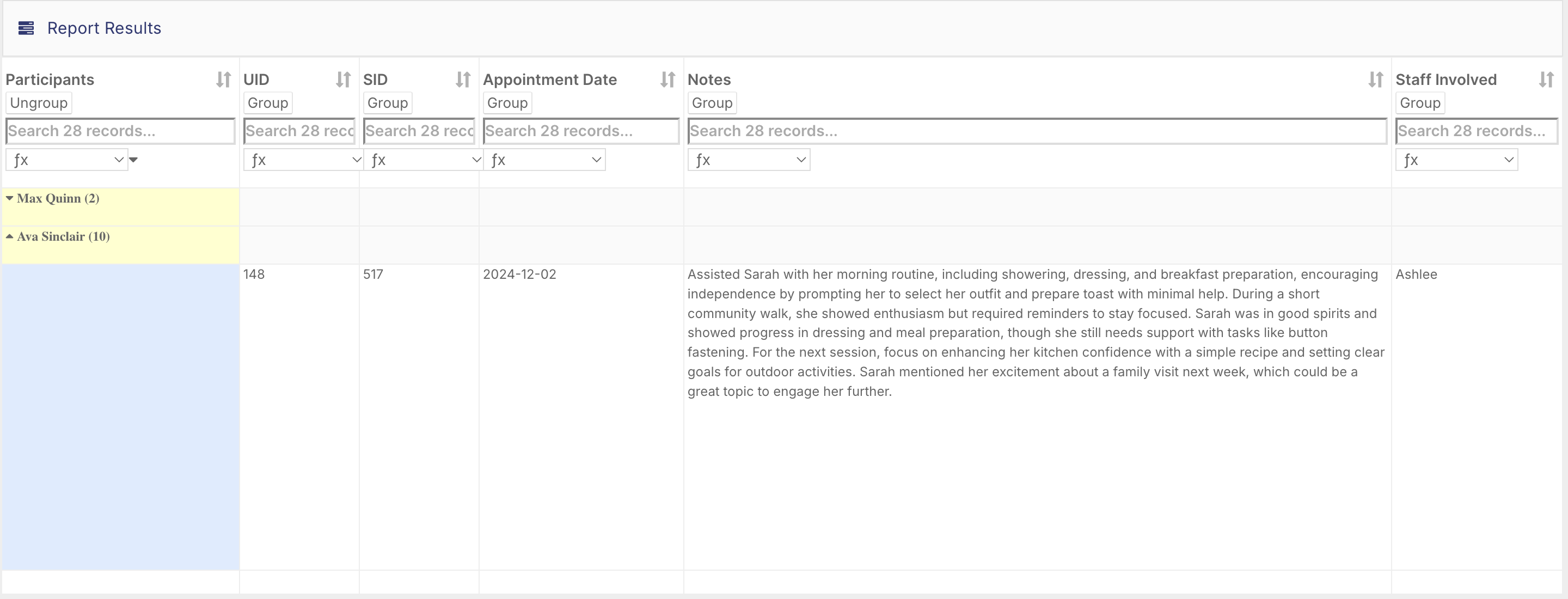
A useful tip is to group the report by participant so all notes for a specific client appear together. You can then filter by that client and export only their records, which is far quicker than searching through individual profiles.
Incident, Accident, and Near Miss Report
Safety and risk management
This report displays all recorded incidents, accidents, and near misses in the system. It is particularly helpful during audits or safety reviews. Filter by location, client name, or date range to narrow results. Over time, it helps identify recurring safety issues and supports better risk management decisions.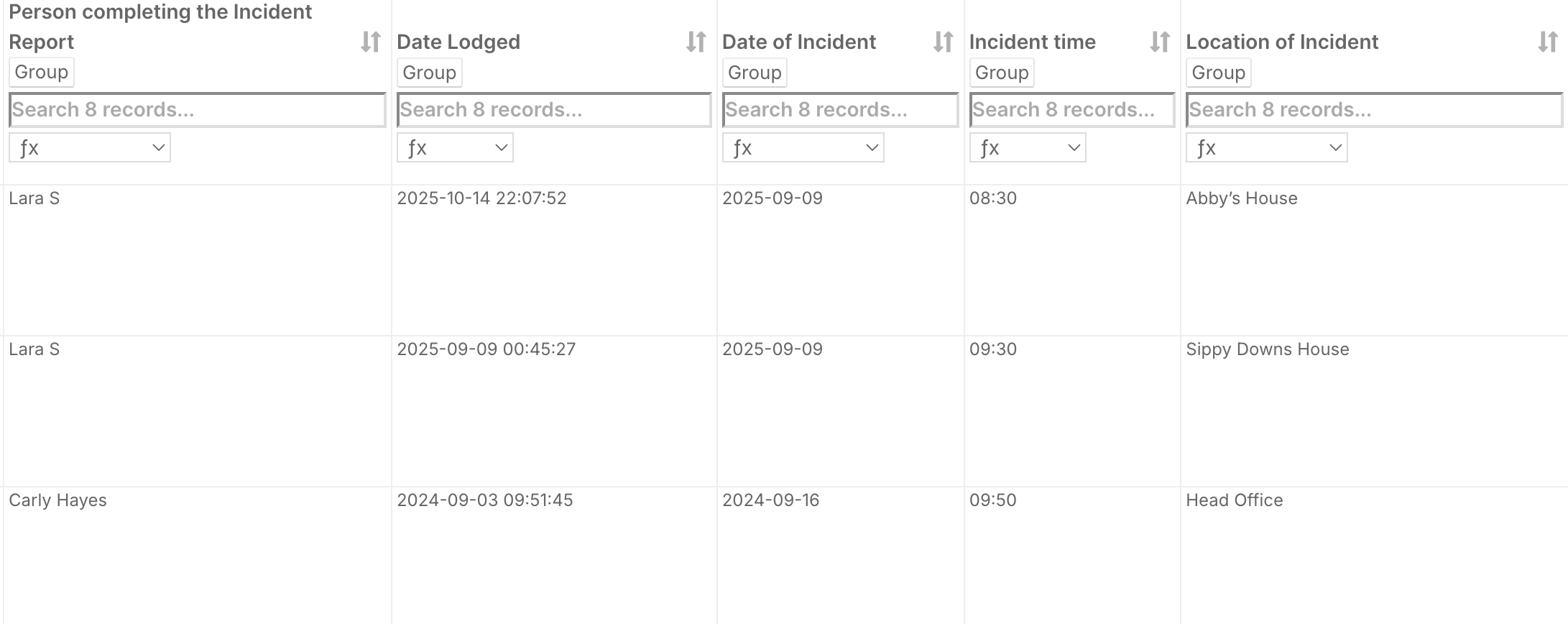
Allocation Top-Up report
Finance and coordination
This report lists all expiring budgets and shows the allocation label, form, start and end dates, and total budget amounts, including provisioned, spent, and remaining values in both dollar amounts and percentages. Group by client to view budget details for individual participants.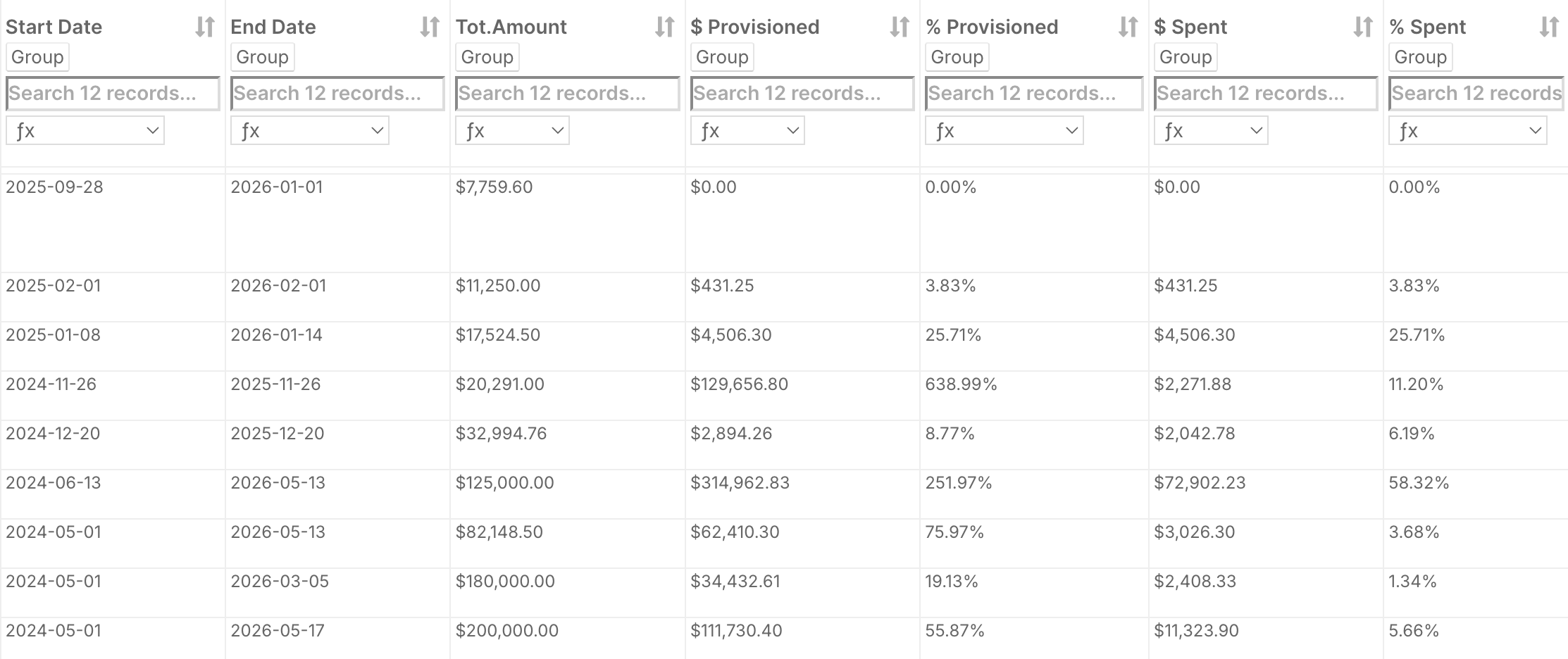
Use the built-in filters to narrow results by expiry date range, service type, or allocation label to prioritise clients due for a top-up. Export to Excel to share with your finance or coordination team for review. This report saves significant time compared to checking each client record individually.
Claimed Over Invoiced report
Financial reconciliation
This report lists all data that has been claimed and exported from the system. Use it to verify that the total invoiced amount matches the total exported amount, confirming that everything approved in FlowLogic has been sent to your financial software.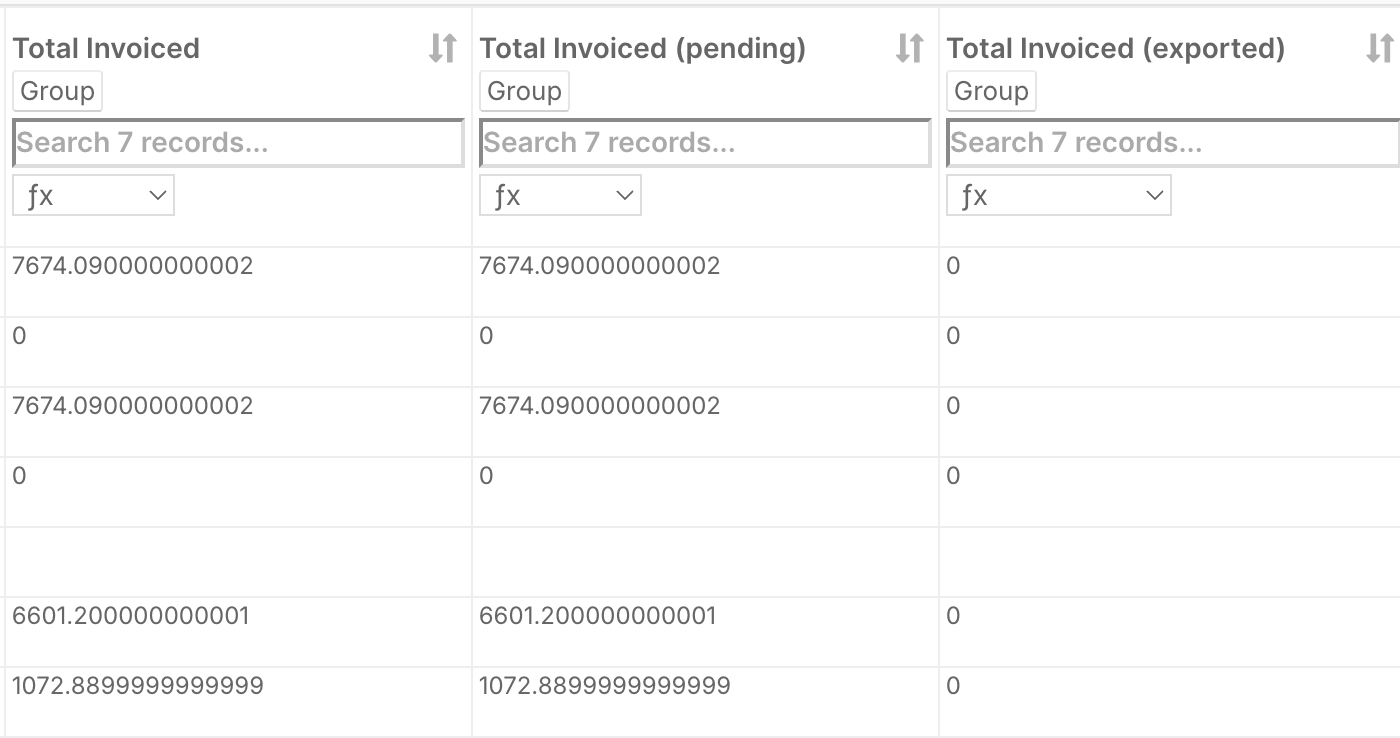
Relevant for NDIA, self-managed, and plan-managed funds. Check this report regularly, particularly at end of month or quarter, to catch missed claims or duplicate exports before they cause reconciliation issues.
Forecast Profit and Loss report
Management and executive teams
This report compares client billing with staff pay to show whether each service area is operating at a surplus or deficit. It is particularly useful for CEOs, CFOs, and managers reviewing operational efficiency, staffing costs, and overall financial performance. It can also highlight areas where additional funding or efficiency improvements may be needed.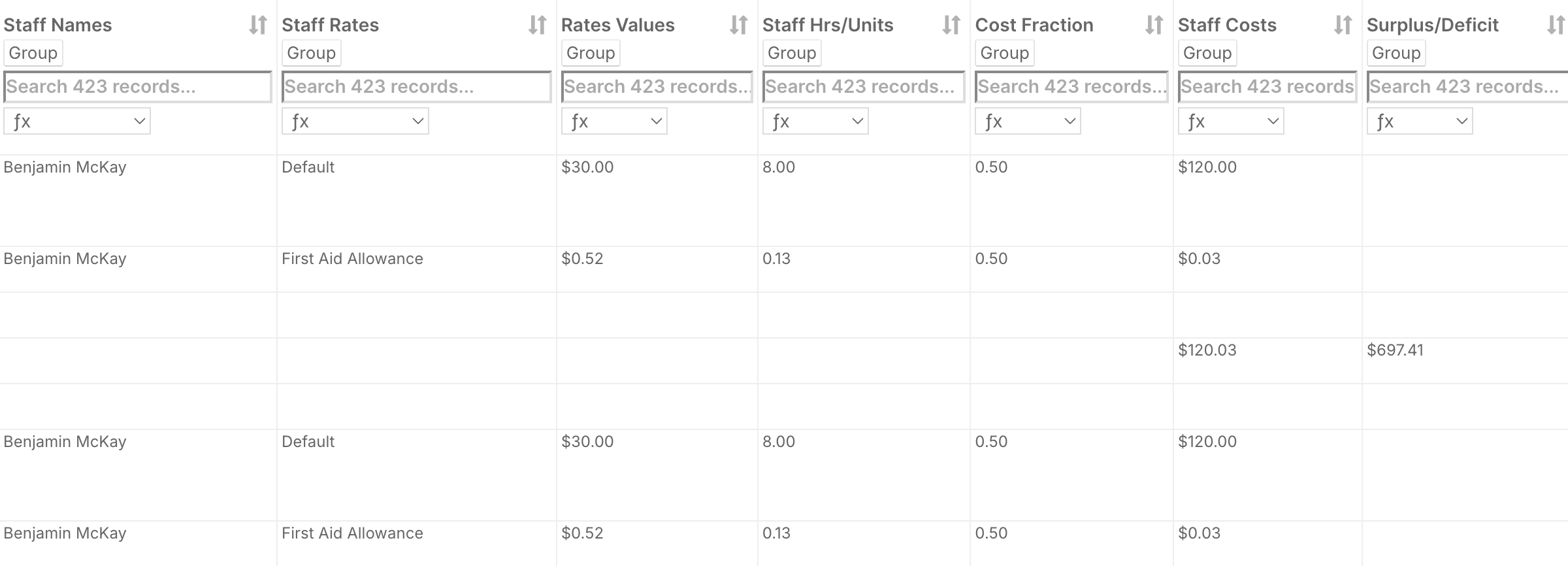
Roster Services and Roster Services by Allocation reports
Billing accuracy
These two reports are very similar. The Roster Services by Allocation report includes additional details such as allocation start and end dates, allocation IDs, and the services linked to each roster.
Use these reports to verify that every shift has the correct billing attached, for example, checking that weekend shifts use weekend line items and public holidays use public holiday rates. Filter by date range, client, or roster before export. Running these regularly saves time compared to checking shifts individually and reduces the likelihood of billing disputes later on.
Roster, Timesheet, and Billing Variance report
Payroll and compliance
This report compares billing data with rosters and timesheets to identify any discrepancies. It calculates a variance total so you can see if there is a mismatch between rostered shifts, approved timesheets, and billed line items. Run this report at the end of each week or fortnight to ensure staff are being paid correctly and clients are being billed accurately. It is also a proactive way to catch data entry errors before they affect your financial reporting.
These are just a few of the many reports available in FlowLogic. You can also build custom reports to suit your organisation’s specific needs. The best way to learn is to open a few reports, apply filters, and explore what insights you can uncover.