
How Can We Help?
Search for answers or browse our knowledge base.
Resetting Password
If you are unsure or have forgotten your password, you can request a reset email to be sent to your registered email address.
- Open up your preferred web browser :Chrome: :Firefox: :Safari: :Internet_Explorer:
- Navigate to your flowlogic web address provided to you by your system administrator (For example http://example.flowlogic.com.au)
- Click on the “Reset password” button.
- Type in your username (Most commonly firstname.lastname)
- Click “Reset my password”
- Open your email and find the email from support@flowlogic.com.au.
- Click the link in the email.
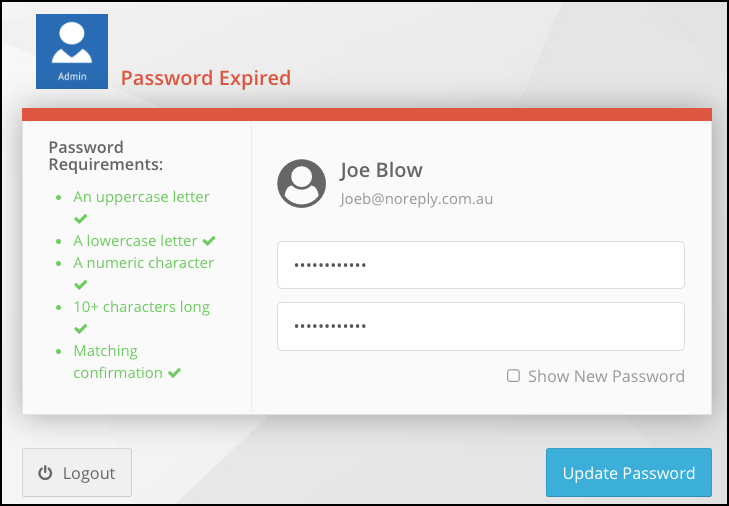
- Create a new password which contains
– At least one uppercase letter
– At least one lowercase letter
– At least one number
– At least 10 characters
You can also change your password from the User Menu after logging in to Flowlogic, by clicking on your name and selecting “Change Password”.
